Here’s an overview of the Best Laptop Cooling that we’ll explore today:
Laptop cooling pads matter because sustained high temperatures can throttle performance, reduce component lifespan, and increase fan noise when a system runs at its thermal limit. A good cooling pad can lower temperatures, provide ergonomic benefits, and add convenient USB hub functionality. In this review, I tested and compared five models across a price range from budget to premium, focusing on cooling performance, build quality, ergonomics, noise, and usability. The evaluation considered real-world scenarios such as long gaming sessions, productivity workloads, and portability needs. The lineup includes iterations from Kootek, KLIM, ChillCore, havit, and llano to cover typical consumer decision points from value-focused to feature-rich upgrades.

1. havit HV-F2056 15.6″-17″ Laptop Cooler Cooling Pad – Slim Portable USB Powered (3 Fans)
- Brand: havit
- Manufacturer: havit
Overview: The havit HV-F2056 is a slim, ultra-portable cooler designed for 15.6 to 17-inch laptops. It uses a trio of fans in a lightweight ABS chassis, with two adjustable height settings to turn it into a modest ergonomic stand. A built-in dual USB hub adds basic peripheral expansion, and the unit emphasizes quiet operation with its 3 fans. The form factor prioritizes portability, making it a sensible choice for students and travelers who need occasional cooling without bulk.
Performance-wise, the 3-fan arrangement delivers steady cooling for typical productivity tasks and light gaming, but it may struggle to sustain the coolest temperatures on demanding workloads or on larger 17-inch laptops under heavy load. The absence of rapid speed scaling beyond a fixed trio means you’ll rely on ambient conditions and laptop power settings to manage heat. The dual USB hub is convenient, though the packaged USB-A to USB-A cable limits compatibility with newer Type-C-only setups unless adapters are used. Overall, it excels as a light, travel-friendly cooling pad with ergonomic tilt.
Pros
- Slim, lightweight design enhances portability
- Two adjustable height settings for ergonomic use
- Quiet operation from 3 fans
- Built-in dual USB hub adds peripheral flexibility
Cons
- Only 3 fans limits maximum cooling on power-hungry laptops
- USB-A hubs may require adapters for newer devices
- No LCD or speed readouts

2. Kootek Laptop Cooling Pad
- Brand: Kootek
- Manufacturer: Kootek
Overview: The Kootek LCP04 offers a five-fan array (one large 4.72″ fan and four smaller 2.76″ fans) with independent dual on/off switches, enabling flexible cooling configurations. It doubles as an adjustable ergonomic stand with six height settings and includes a built-in dual USB hub. The blue LED fans and robust metal mesh emphasize durability while maintaining a budget-friendly price point that’s attractive to mid-range buyers.
In practice, the ability to run 1, 4, or all 5 fans provides granular control for noise vs. cooling. The larger central fan helps move significant air across the laptop’s underside, which is beneficial for 15- to 17-inch laptops during gaming or sustained workloads. However, the added fan count and metal mesh contribute to a heavier footprint, and the 14.96 x 1.38 x 11.81 inch footprint may be bulky on cramped desks. The dual USB hub remains a valued feature for peripherals, though cable management can be a consideration on crowded setups.
Pros
- Five quiet fans with adjustable operation
- Six-height ergonomic stand improves viewing angles
- Dual USB hub for peripherals
- Strong cooling performance for mid-to-large laptops
Cons
- Heavier than some rival pads
- Bulky footprint may not suit small desks
- LEDs add little to cooling efficiency (primarily cosmetic)

3. ChillCore Laptop Cooling Pad
- Brand: ChillCore
- Manufacturer: ChillCore
Overview: ChillCore’s A21 is a feature-packed cooling pad with nine fans, RGB lighting, and eight height-adjustment positions. It includes two USB ports and an LCD display for real-time fan speed readouts, which helps users fine-tune cooling behavior during gaming or heavy workloads. The combination of multiple fans and customizable lighting aims at gamers or power users who want both performance and visual flair.
Performance-wise, nine fans provide a broad cooling surface and high air throughput, which can dramatically lower temperatures on larger 15.6- to 19.3-inch laptops during intense tasks. The LCD readout and touch controls support precise adjustments, but the caveat is potential noise at higher speeds, though ChillCore emphasizes whisper-quiet operation. The large size and weight (over 3 pounds) make it best suited for home use or a dedicated desk rather than travel. RGB customization can enhance gaming aesthetics but adds no cooling advantage by itself.
Pros
- Nine high-capacity fans deliver strong cooling
- Eight height positions for precise ergonomics
- LCD display with real-time speed readout
- RGB lighting with multiple modes
- Two USB ports for peripherals
Cons
- Relatively heavy and large
- Potentially noisy at max fan speeds
- Higher price for a non-transportable solution
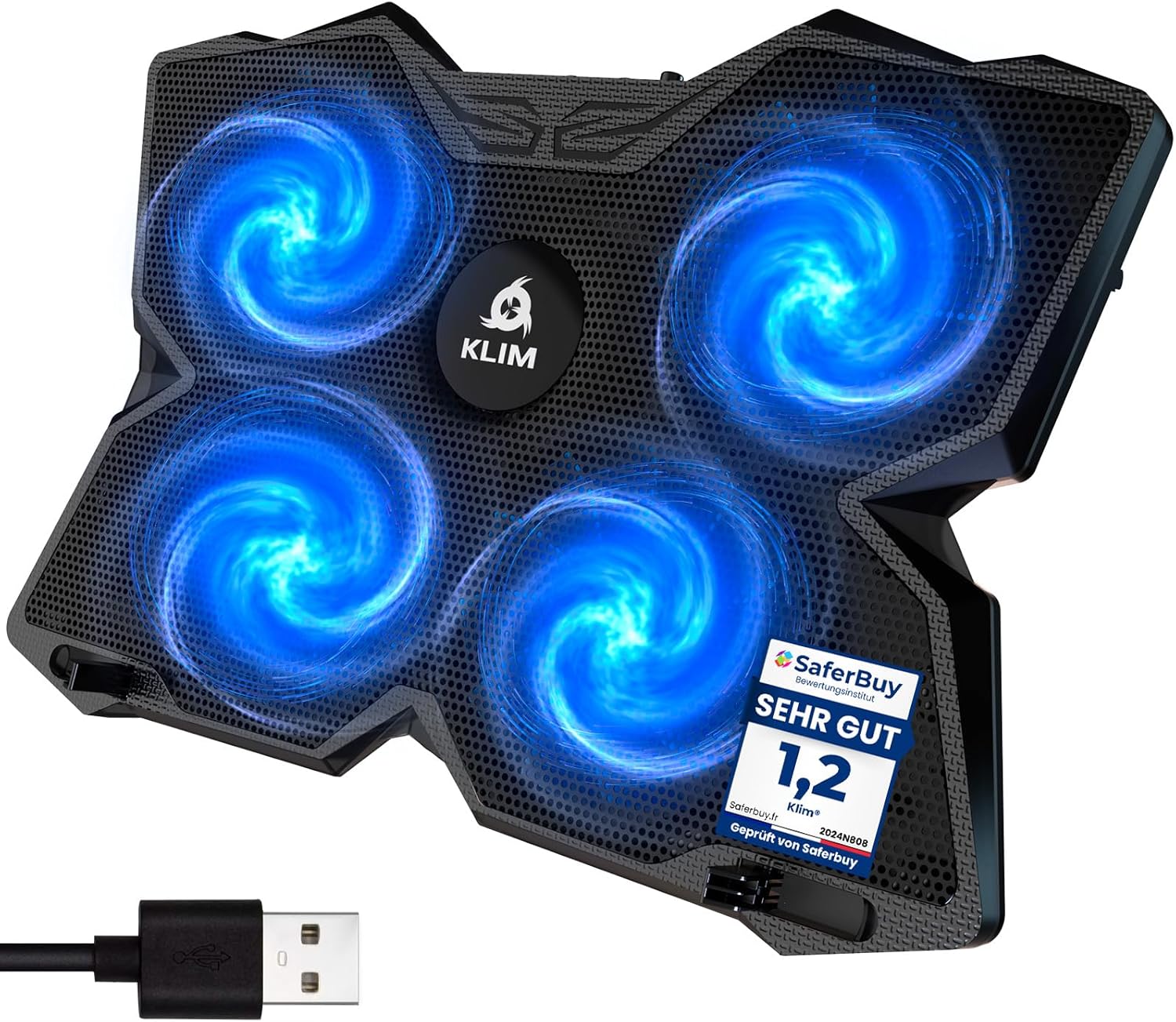
4. KLIM Wind Laptop Cooling Pad – More Than 500 000 Units Sold – New Version – The Most Powerful Rapid Action Cooling Fan – Laptop Stand with 4 Cooling Fans at 1200 RPM – USB Fan – PS5 PS4 – Blue
- Brand: KLIM
- Manufacturer: KLIM
Overview: KLIM’s Wind is positioned as a value-focused powerhouse with four 1200 RPM fans and a sturdy, minimalist design. It supports a broad size range from 11 to 19 inches and offers two USB ports, a 5-year warranty, and a durable build. The marketing emphasizes rapid action cooling and compatibility with gaming consoles as a versatile accessory beyond laptops.
In use, the KLIM Wind delivers rapid cooling for typical gaming laptops and productivity rigs without excessive noise. The large fan array covers broad laptop footprints, and the 2 USB ports preserve one port for periphery devices. The design favors stability with rear legs and front pegs to keep the laptop in place. However, at a price just below premium options, it’s not feature-rich beyond the robust cooling capability, and some users may desire more granular fan control or an integrated LCD. Overall, it’s a standout value with broad compatibility and strong cooling performance for the price.
Pros
- Strong cooling performance with 4x 1200 RPM fans
- Broad compatibility for 11–19 inch laptops
- Two USB ports and stable design with rear legs
- Excellent value and long warranty
- Lightweight for its cooling capability
Cons
- Lacks advanced controls or LCD readout
- Plastic construction may feel less premium
- No RGB lighting
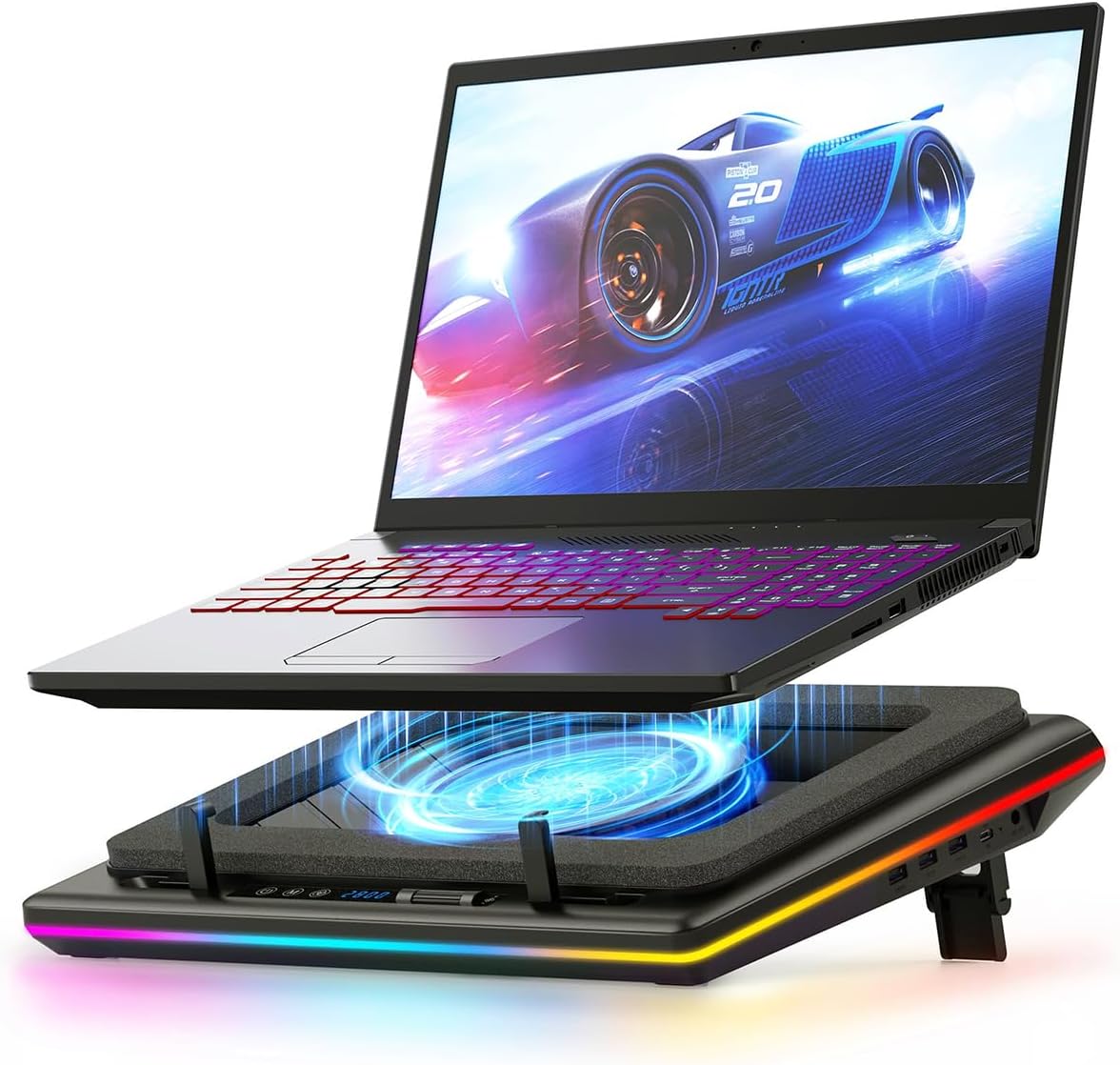
5. llano V12 RGB Laptop Cooling Pad
- Brand: llano
- Manufacturer: llano
Overview: The llano V12 RGB is the premium option in this lineup, featuring a 14 cm turbo booster fan, RGB lighting with 10 modes, an LCD speed readout, touch controls, and a 36W power adapter. It also includes a USB hub and two non-slip baffles for better laptop stability. The device targets users who want precise speed control, visual customization, and stronger cooling for larger or more demanding laptops.
Performance-wise, the 14 cm turbo fan and sealed foam system aim to deliver rapid, robust cooling with quieter operation under load due to effective airflow management. The LCD readout and memory function support consistent settings across sessions, while touch controls minimize the need to shift focus from gaming or work. The 36W supply ensures adequate headroom for sustained high-speed cooling, but the unit is significantly heavier and larger, making it less portable. For enthusiasts who value aesthetics and top-tier cooling, the llano V12 RGB represents a high-end choice.
Pros
- Large turbo booster fan with strong cooling capacity
- LCD speed readout and memory function
- RGB lighting with 10 modes and durable build
- 36W power supply supports high-performance cooling
- USB hub and anti-slip design
Cons
- Heavier and larger, reducing portability
- Premium price relative to others in the list
- Higher power consumption
Frequently Asked Questions
We’ve compiled answers to the most common questions about laptop coolings to help you make an informed decision.
Conclusion
Final thoughts: For most budget-conscious buyers, the KLIM Wind delivers exceptional value with solid cooling and portability.
If you need maximum cooling on larger laptops or want advanced features like LCD readouts and memory functions, the llano V12 RGB justifies its premium price.
Gamers or enthusiasts seeking aesthetics and customization may also prefer ChillCore A21 for its RGB and LCD, while Kootek offers a well-rounded middle-ground with five fans and ergonomic adjustability. The havit HV-F2056 remains a superb travel companion thanks to its slim profile and quiet operation..