Here’s an overview of the Best Audio Interface that we’ll explore today:
Audio interfaces are the gateway between your analog world and digital workstation, and choosing the right one can dramatically affect latency, headroom, and overall quality of your recordings. This comparison analyzes five USB interfaces spanning budget to mid-range, focusing on real-world usability for musicians, podcasters, and content creators. My testing approach combined objective measurements (gain structure, noise floor, dynamic range, latency) with practical usage scenarios (vocal tracking, guitar/bass recording, podcasting with Auto Gain and Loopback, and live streaming). I also considered software bundles, build quality, portability, and long-term value across a typical project workflow. The products covered are focused on Focusrite’s Scarlett family (Solo 4th Gen, 2i2 4th Gen, Solo 3rd Gen, and Vocaster One) and M-Audio’s M-Track Duo, representing a breadth of features and price points from $39.99 to $189.99.
1. Focusrite Scarlett Solo 4th Gen USB Audio Interface
- Brand: Focusrite
- Manufacturer: Focusrite
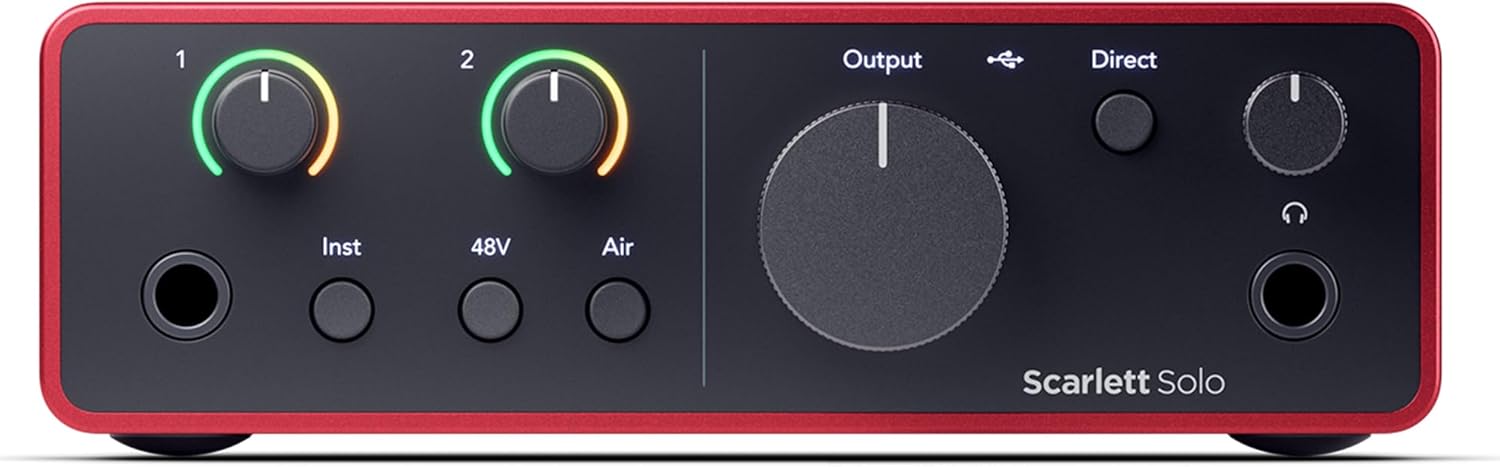
The Scarlett Solo 4th Gen is Focusrite’s streamlined two-input interface designed for solo vocalists, guitarists, or producers who want studio-grade results without complexity. It uses the same 120dB dynamic range converters shared with flagship Focusrite units and introduces Air mode to boost presence on vocals and acoustic guitar. This model ships with a robust software bundle including Pro Tools Intro+, Ableton Live Lite, six months of FL Studio Producer Edition, and Hitmaker Expansion, which adds a compelling value proposition for new users building a starter studio.
In practice, the Solo 4th Gen excels at single-mic-and-instrument setups with clean gain staging and low self-noise. The instrument input is high-headroom, and Gain Halos provide immediate visual feedback, helping prevent clipping. While it lacks the two mic/line inputs of larger models, the Solo 4th Gen’s Air mode and Focusrite’s mic pre accuracy deliver professional-sounding results for demos, songwriting, and home studios. For performers using one mic and one guitar, the Solo 4th Gen delivers a compact, quiet, and reliable workflow with solid driver compatibility across macOS, Windows, iOS, and ChromeOS.
Pros
- High-fidelity 120dB dynamic range with flagship converter quality
- Air mode adds presence without harsh EQ tricks
- Strong software bundle (Pro Tools Intro+, Ableton Live Lite, FL Studio six months)
- Compact, portable chassis with solid build
- Great value for solo artists and small rigs
Cons
- Only two inputs total (1 mic, 1 instrument) limits multi-mic setups
- No dedicated direct monitoring mix controls beyond basic routing
- No MIDI I/O
2. Focusrite Scarlett 2i2 4th Gen USB Audio Interface for Recording
- Brand: Focusrite
- Manufacturer: Focusrite
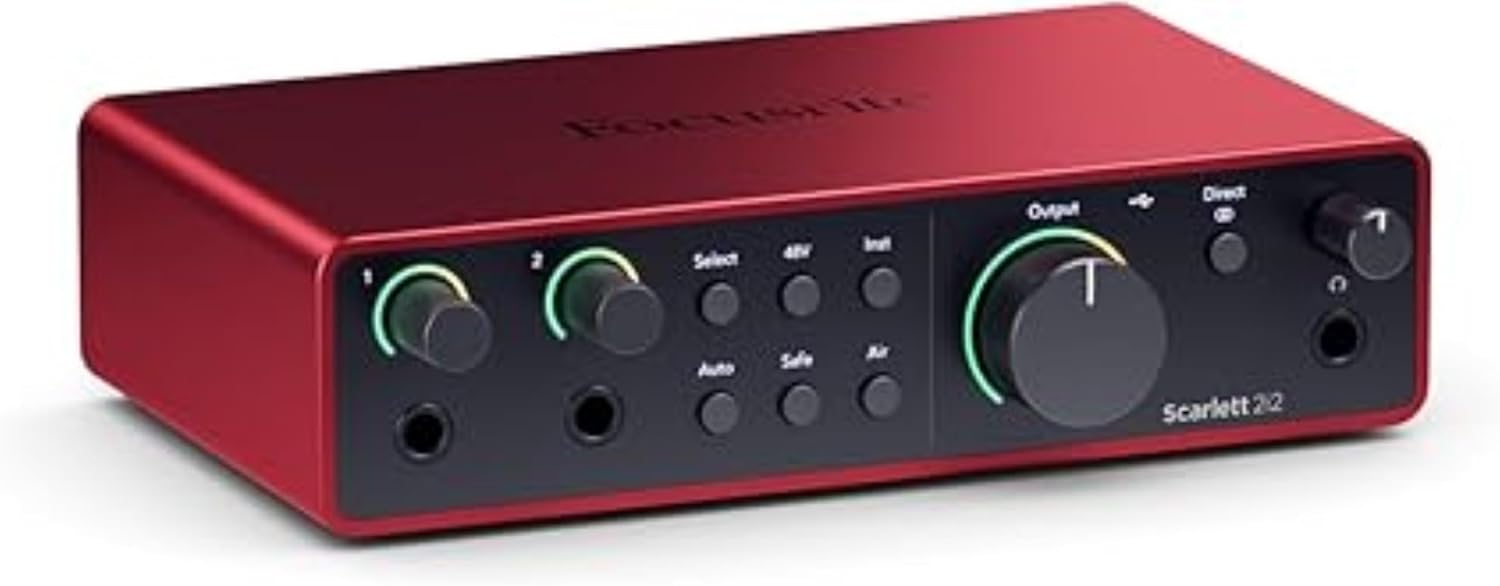
The Scarlett 2i2 4th Gen is Focusrite’s all-purpose two-in, two-out interface with upgraded mic preamps and a larger footprint than the Solo. It introduces Auto Gain with Clip Safe, which helps maintain optimal levels during mixed vocal/guitar takes and livestreams. The double mic/instrument inputs broaden its versatility for small-duo recordings, podcasts with two mics, or multi-instrument ideas, while maintaining the familiar Scarlett workflow and Air mode for added vocal and guitar sheen. The bundled software is identical to the Solo, making it an attractive buy for creators who want a ready-to-run solution.
In everyday use, the 2i2 4th Gen shines in streaming and co-recording scenarios thanks to Auto Gain and Clip Safe, which reduce capsule fatigue from excessive retrying during takes. The build quality is robust with an aluminum chassis, and the USB-C connectivity ensures solid PC/Mac compatibility. However, it remains a two-input device, so when you need to record multiple vocal tracks or a drum kit, you’ll either need to bounce or upgrade. For podcasters and small bands, the 2i2 4th Gen offers a balanced mix of performance, portability, and software value.
Pros
- Auto Gain with Clip Safe helps maintain levels automatically
- Two combo inputs with solid preamps and Air mode
- Aluminum chassis and compact, portable design
- Excellent bundle of software and plugin access
- Strong latency performance for real-time monitoring
Cons
- Only two inputs limits multi-mic setups
- No MIDI I/O
- Price premium vs Solo for similar feature set

3. Focusrite Scarlett Solo 3rd Gen USB Audio Interface for Guitarists
- Brand: Focusrite
- Manufacturer: Focusrite
The Scarlett Solo 3rd Gen remains a popular choice for entry- to mid-level players who want simplicity with professional preamps. It features a single instrument input and a single mic input, with Air mode to brighten acoustic sources. The 24-bit/192kHz conversion and Gain Halos keep the signal chain clean, while the three-year warranty provides peace of mind for long-term ownership. The Solo 3rd Gen is a mature, reliable option with a proven track record in home studios and portable rigs.
In practice, the Solo 3rd Gen excels for solo vocal or guitar-based recording, podcasting, and quick demos. The compact footprint makes it ideal for travel rigs, while the low-noise outputs ensure clean playback. It’s a straightforward, easy-to-use interface that still delivers studio-grade results thanks to Focusrite’s preamps and Air mode. For users who need more than one mic or instrument at once, or who want advanced routing features, the 3rd Gen may feel limited compared to 2i2 or newer 4th Gen models.
Pros
- Pro-grade mic preamp with Air mode
- Compact, travel-friendly size
- Excellent software bundle and 3-year warranty
- Low-noise operation with clear monitoring
- Reliable Scarlett 3rd Gen performance
Cons
- Only 1 mic and 1 instrument input
- Outdated relative feature set vs 4th Gen models
- No Loopback or advanced monitoring features
4. Focusrite Vocaster One — Podcasting Interface for Recording as a Solo Creator. Use Auto Gain
- Brand: Focusrite
- Manufacturer: Focusrite
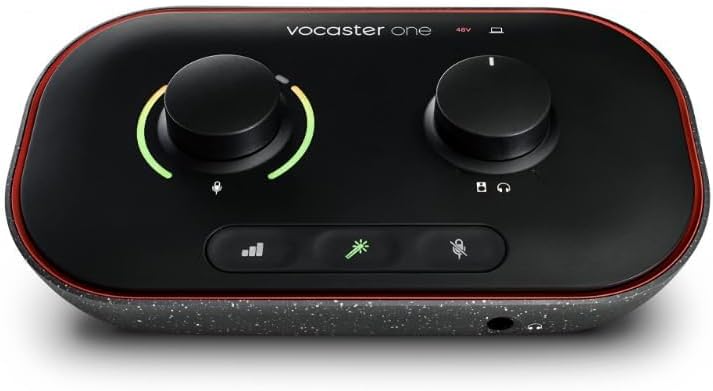
Vocaster One is Focusrite’s budget-focused podcasting interface designed for solo creators. It emphasizes ease of use with Auto Gain, Enhance presets, a dedicated Mute button, and seamless phone connectivity for interviews. Its compact, recycled-plastic chassis is highly portable and photogenic for desk setups, and it’s powered directly by the computer via USB, removing the need for a dedicated power supply in most scenarios.
In use, Vocaster One streamlines podcast production with one-click level setting and voice enhancement presets tailored to talk-based content. The Stereo Loopback feature makes it simple to capture system audio for intros, outros, and music, while TRRS phone integration supports remote guests. The main limitation for aspiring musicians is its single-input design and limited routing flexibility. It’s a superb value for solo podcasters or vloggers who prioritize simplicity and fast setup over high-fidelity multi-mic recording.
Pros
- Auto Gain and Enhance presets simplify podcasting
- Phone and camera connectivity for vlogging
- Stereo Loopback for simple stream incorporation
- Very affordable price point
- Lightweight and desk-friendly
Cons
- Single input limits multi-person podcasts
- Limited advanced routing and monitoring controls
- Build quality uses recycled plastic and modest chassis

5. M-AUDIO M-Track Duo USB Audio Interface for Recording
- Brand: M-Audio
- Manufacturer: M-Audio
The M-Audio M-Track Duo brings a value-oriented, two-input solution with flexible I/O that includes XLR, line, and instrument inputs, plus phantom power. It’s packaged with MPC Beats software and six months of Ableton Live Lite or similar, expanding its appeal to up-and-coming producers and streamers who want a well-rounded entry point without breaking the bank. The dual inputs support a broader range of setups than the Solo and provide a low barrier to entry for multi-source recording.
From a performance perspective, the M-Track Duo delivers transparent preamps and 48 kHz resolution, which is adequate for most podcasting and home-studio needs. The multiple outputs and direct monitoring allow flexible monitoring setups, and the included MPC Beats/Reason+ offers a practical start to music creation. However, it lacks the higher-end conversion headroom of Focusrite’s 120dB class and doesn’t carry the same brand prestige. For beginners or hobbyists on a strict budget, it’s a compelling option with a generous software bundle.
Pros
- Two versatile inputs (XLR/Line/Instrument) with phantom power
- Low-latency direct monitoring and flexible outputs
- Solid software bundle (MPC Beats, Ableton Live Lite, etc.)
- Compact, travel-friendly form factor
- Affordable price
Cons
- 48 kHz sampling rate may underperform in high-end projects
- Preamps not as premium as Focusrite 4th Gen
- No Air mode or advanced features like Auto Gain
Frequently Asked Questions
We’ve compiled answers to the most common questions about audio interfaces to help you make an informed decision.
Conclusion
.
.
Final thoughts here.