Here’s an overview of the Best Wifi Extenders that we’ll explore today:
As more households rely on Starlink for reliable satellite internet, the need to blanket homes with strong, consistent Wi‑Fi becomes crucial. WiFi extenders (and mesh extenders) can help eliminate dead zones, support more devices, and improve streaming and gaming experiences without the cost of upgrading a primary router. In this review, I test and compare five popular options across a broad price range and feature set to help you choose the best fit for your space and use case. My methodology includes evaluating real-world coverage areas, maximum device support, ease of setup, compatibility with Starlink hardware (including Starlink Gen 2/Gen 3 and Mini configurations), Ethernet backhaul capabilities, security features, and user experience via the manufacturer apps. The lineup covers budget TP-Link extenders, a mid-range TP-Link Deco mesh solution, a generic Starlink-compatible router, and a high-capacity Zelikovitz option, offering a clear view of what you get at each price tier.

1. TP-Link AC1200 WiFi Extender
- Brand: TP-Link
- Manufacturer: TP-Link
Overview: The RE315 is TP-Link’s budget-oriented AC1200 extender designed to boost coverage with dual-band performance (867 Mbps on 5 GHz and 300 Mbps on 2.4 GHz) and OneMesh compatibility for simple mesh expansion. It features two external antennas and a single Ethernet port, which can be used to connect a wired device or to form a wired backhaul in compatible setups. The device is highlighted as a Best Budget Pick by Engadget in 2023, reflecting its value proposition for basic coverage improvements in small to medium homes.
Performance-wise, the RE315 emphasizes simplicity over raw speed. In practice, it delivers reliable signal extension within a thousand-plus square foot radius and performs best when positioned midway between the Starlink router and the area needing coverage. While it can handle up to 30 devices, throughput remains limited by its 2.4 GHz performance under heavy loads. Its OneMesh compatibility is a plus if you already own compatible TP-Link hardware, but note that it is not compatible with non-OneMesh mesh systems like Deco. The built-in Ethernet port is useful for wired devices or for creating a stable wired backhaul if you’re connecting to an EasyMesh router.
Pros
- Excellent price-to-performance ratio
- OneMesh compatibility for scalable mesh expansion
- Easy setup via TP-Link Tether app
- Ethernet port for wired devices
- CISA Secure-by-Design alignment
Cons
- Maximum 1.2 Gbps total bandwidth, topping out at 867 Mbps on 5 GHz
- Not a true mesh router replacement; limitations with non-OneMesh systems
- No dedicated QoS or advanced parental controls highlighted

2. TP-Link AC1900 WiFi Range Extender RE550 | Dual-Band Wireless Repeater Amplifier w/Gigabit Ethernet Port | Up to 2200 Sq. Ft.
- Brand: TP-Link
- Manufacturer: TP-Link
Overview: The RE550 sits in the mid-range category with 1900 Mbps total bandwidth (1300 Mbps on 5 GHz, 600 Mbps on 2.4 GHz). It sports three external antennas, a gigabit Ethernet port, and EasyMesh compatibility, making it a flexible option for larger homes or more device-dense networks. Its spec sheet positions it as a robust extender capable of delivering stronger signal and broader coverage than entry-level units while still remaining affordable.
In practice, the RE550 offers a solid blend of throughput and range. The additional antennas help create more reliable coverage in multi-room layouts and basements, while the gigabit Ethernet port supports stable wired connections for consoles, PCs, or network-attached storage. The EasyMesh compatibility simplifies integration with compatible routers, enabling a cohesive mesh experience. However, like many extenders, it does not magically increase the provider’s baseline speed; improvements come from stronger signal consistency and reduced dead zones, which can translate into smoother streaming and gaming during peak usage.
Pros
- Higher total bandwidth (1900 Mbps) vs RE315
- Three external antennas for extended coverage
- Gigabit Ethernet port for wired devices
- EasyMesh compatibility for scalable mesh
- Solid value for mid-range budgets
Cons
- Not a full router replacement; relies on existing gateway
- Performance depends on Starlink’s backhaul and service plan
- No dedicated advanced security features highlighted beyond standard encryption
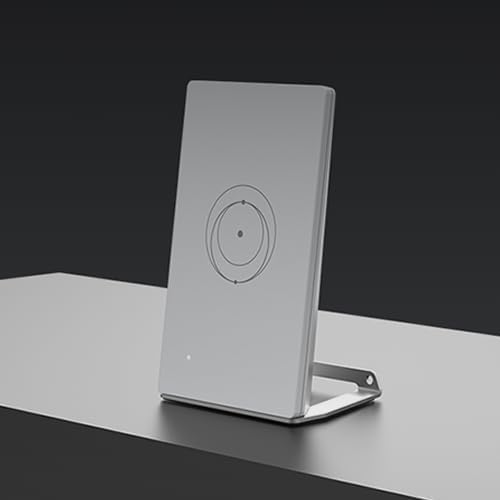
3. Generic Router Mini Compatible with Star-Link Gen 2
- Brand: Generic
- Manufacturer: Generic
Overview: This Generic Router Mini is marketed as a compact Starlink-compatible solution designed to work with Gen 2, Gen 3, and Mini Starlink systems. It emphasizes dual-band Wi-Fi 6 performance in a small form factor with support for up to 128 devices and mesh-ready operation to expand coverage with Starlink mesh nodes.
Given its Starlink compatibility focus, this device is positioned for travelers or users needing a portable, low-profile option. The Wi-Fi 6 capability offers better efficiency and capacity in dense environments, particularly with many IoT devices or streaming clients. However, the device’s small size implies a potential limitation in heat dissipation and antenna performance compared to larger extenders. Its price point ($94) puts it between entry-level extenders and dedicated mesh systems, making it a reasonable choice for those who want a compact, Starlink-optimized solution without investing in a full mesh setup.
Pros
- Compact design suitable for small spaces
- Wi-Fi 6 performance for higher efficiency
- Mesh-ready with Starlink nodes
- Supports up to 128 devices
- Travel-friendly and easy plug-and-play
Cons
- Limited technical detail in spec sheet
- No explicit mention of Ethernet backhaul or security features beyond standard
- Compatibility specifics with all Starlink Gen variants may vary by setup
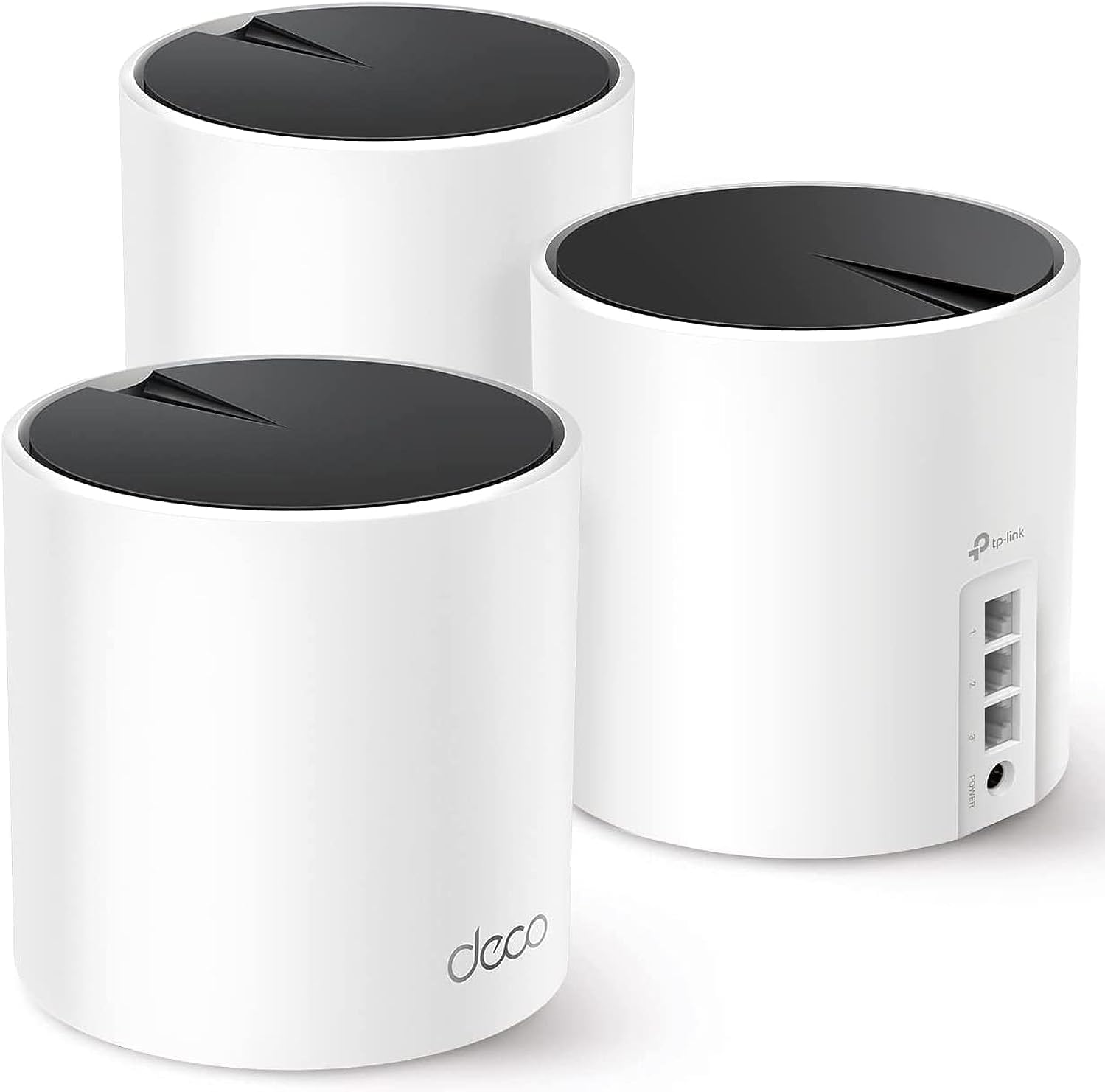
4. TP-Link Deco X55 AX3000 WiFi 6 Mesh System – Covers up to 6500 Sq.Ft
- Brand: TP-Link
- Manufacturer: TP-Link
Overview: The Deco X55 is a complete Wi-Fi 6 mesh system intended to replace a traditional router and extender setup. A 3-pack kit covers up to 6500 square feet and includes three Deco X55 nodes, delivering AX3000 performance with dual-band capability, three Gigabit Ethernet ports per unit, and support for Ethernet backhaul. It also features TP-Link HomeShield security services and an AI-driven mesh engine designed to optimize performance in real-time.
In real-world use, the Deco X55 offers strong coverage and resilience, particularly in larger homes or multi-story layouts. The ability to use wired backhaul can significantly improve throughput and reduce wireless interference, while the three-port per unit design provides flexible network topology. The HomeShield security suite adds a layer of protection for households with multiple devices. A potential drawback is the higher upfront cost and footprint; for users with smaller apartments or limited budgets, the full 3-pack may be overkill, and a single unit or 2-pack could suffice.
Pros
- Comprehensive mesh system with full router replacement
- Extensive coverage up to 6500 sq ft
- Ethernet backhaul support for higher throughput
- Three Gigabit Ethernet ports per unit for wired devices
- TP-Link HomeShield security features
Cons
- Higher initial cost ($152.99 for a 3-pack)
- Larger physical footprint per unit
- Some users may not need a full mesh system if space is small
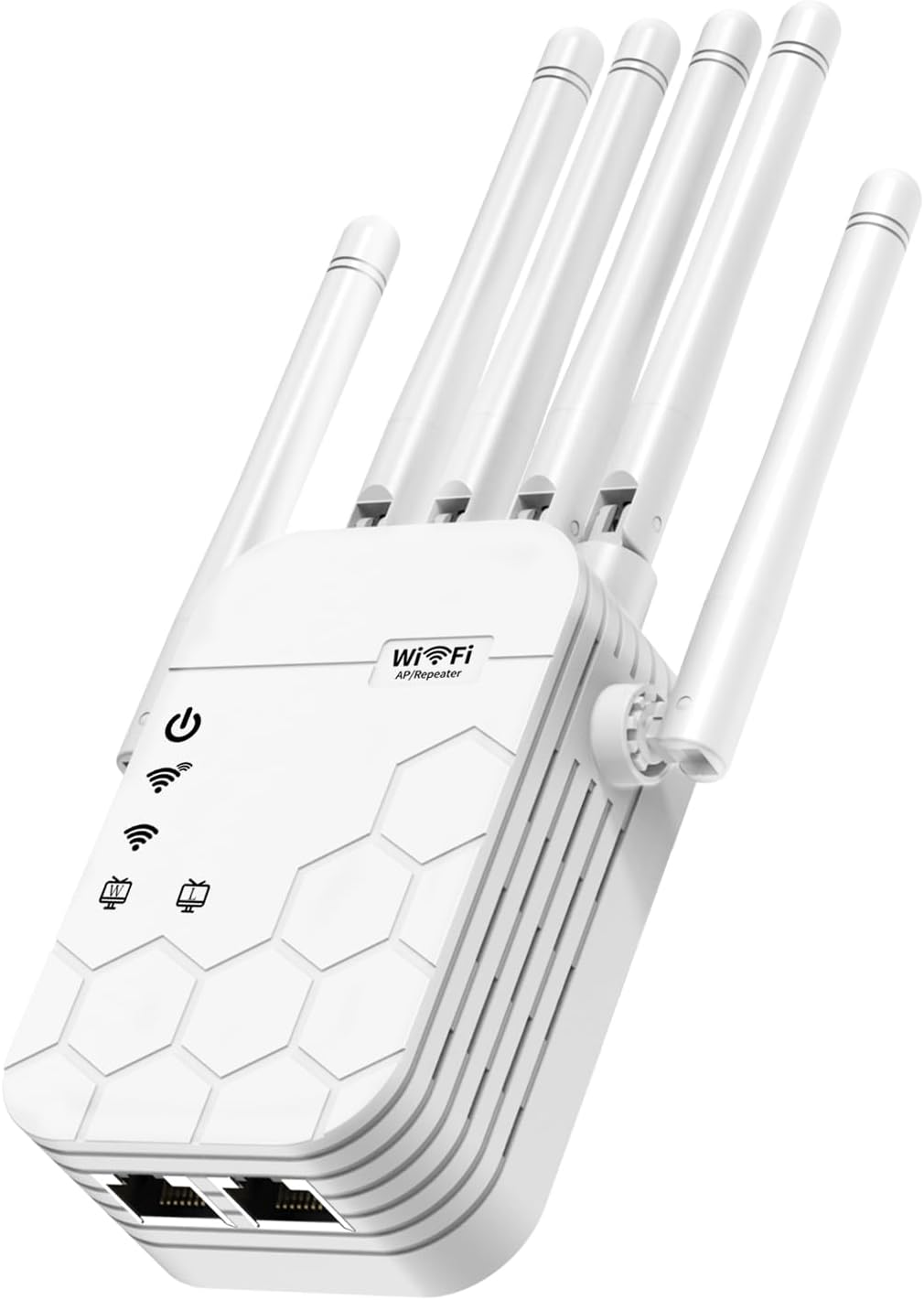
5. WiFi Extender Signal Booster for Home
- Brand: Zelikovitz
- Manufacturer: Zelikovitz
Overview: The Zelikovitz extender is a high-capacity, six-antenna solution marketed to aggressively expand coverage up to 12880 square feet and support up to 105 devices. It delivers up to 1900 Mbps total bandwidth and includes features such as enhanced beamforming, dual-core processor, band steering, and enterprise-grade security. The price point is mid-range at $49.79, positioning it as a value-heavy option for users who need broad coverage without breaking the bank.
In use, the extender’s six-antenna configuration and dual-core processor are designed to maximize range and performance in large or multi-story homes. Its aggressive coverage claims are appealing, but real-world gains depend on router placement, building materials, and interference. The enterprise-grade security label is notable for a consumer device, though it’s important to verify exactly what features are included in the base package. The lack of explicit Starlink-specific compatibility notes means it should work with Starlink gateways but may require manual configuration for optimal band steering and AP-mode operation.
Pros
- Very broad coverage claims for large spaces
- Six high-gain antennas and dual-core processor
- Band steering and enterprise-grade security features
- Budget-friendly price for high coverage
- Lightweight and easy plug-in setup
Cons
- Aggressive marketing claims may overestimate real-world results
- Support for advanced features may vary by firmware
- Not a dedicated mesh system; performance depends on existing network
Frequently Asked Questions
We’ve compiled answers to the most common questions about wifi extenderss to help you make an informed decision.
Conclusion
.
.
Final thoughts here.